Employee terminations seem straightforward.
An employee leaves the organization, HR processes the departure, and IT removes system access. End of story, right?
Unfortunately, it rarely works that smoothly.
In many organizations, employee termination continues to be a common source of ITGC audit findings. Not because companies ignore the control, but because proving that access was removed accurately and on time becomes far more complicated than expected.
If your organization has ever struggled with ITGC control testing, sample testing, or responding to auditor questions about terminated users, you’re not alone. AI-powered automation changes that: instead of sampling terminated users after the fact, it can continuously match HR departures against system access and flag orphaned accounts as they appear.
The challenge isn’t removing access.
The challenge is showing it happened consistently across every application, within policy-defined timelines, and with enough evidence to withstand audit scrutiny.
Why Employee Termination Controls Often Fail Audit Scrutiny
Ask most IT leaders whether terminated employees lose access on time, and the answer is usually “yes.”
Ask whether they can prove it across in-scope applications, ERP, database, shared drive, and cloud platform, and the conversation often becomes much more complicated.
That’s where many ITGC audits uncover problems.
The issue is rarely the employee termination itself. The issue is the gap between when an employee leaves and when every account is actually revoked.
Sometimes that gap creates orphaned accounts. Sometimes it leads to delayed revocation. And sometimes the access was removed correctly, but there’s simply no evidence to prove it. Either way, auditors see a potential control weakness.
The concern extends beyond audit findings. According to IBM’s Cost of a Data Breach Report, stolen or compromised credentials remain one of the most common initial attack vectors, with related breaches costing organizations an average of USD 4.81 million.
Why Auditors Keep Finding the Same Issue
The challenge starts with ownership.
HR knows who left and when. IT manages access. Individual application owners may control specific systems. As organizations add more applications, tracking access removal becomes increasingly difficult.
Now imagine having to prove the control worked.
For every review cycle, teams may need to:
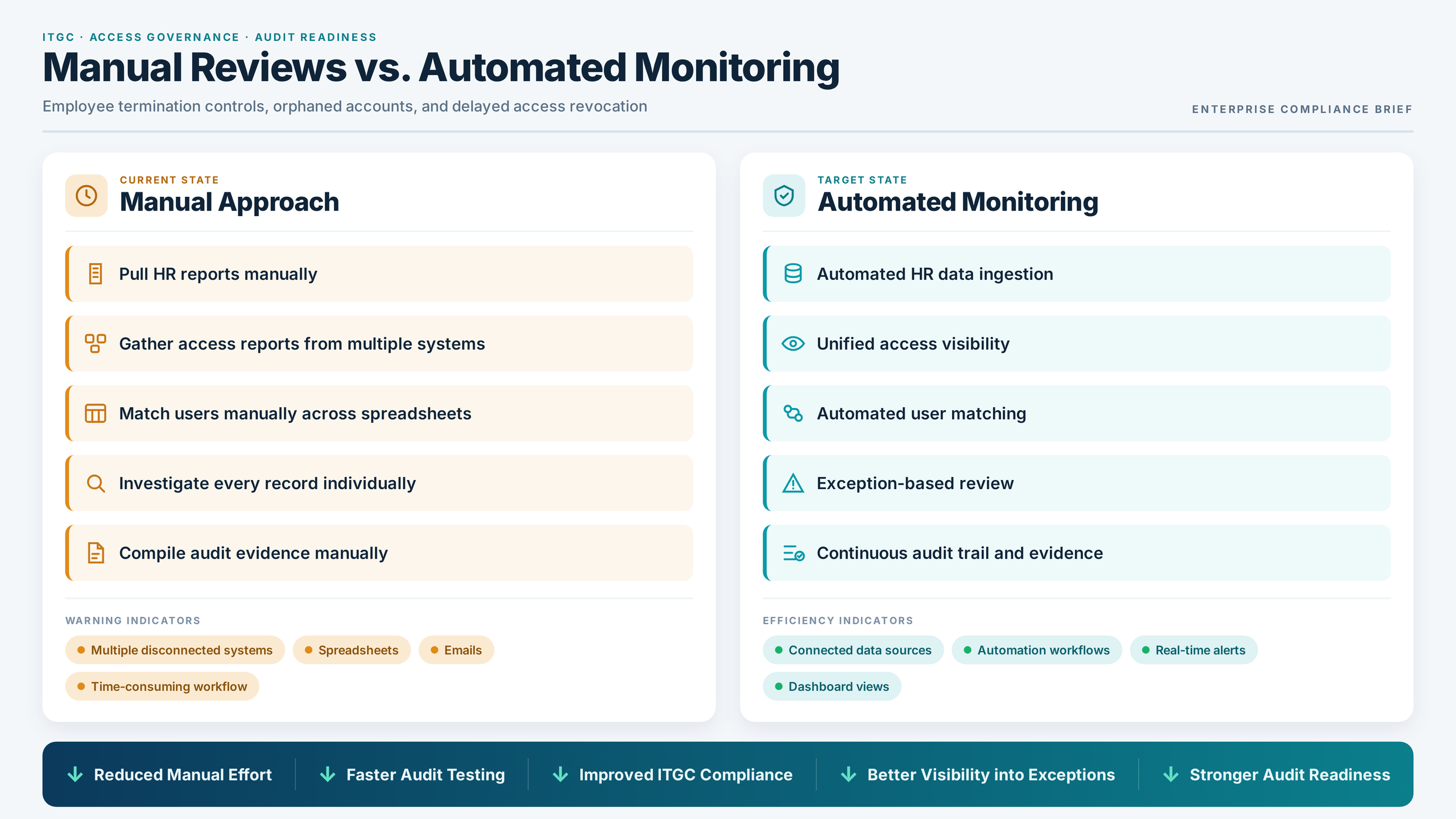
- Pull HR termination reports
- Gather access reports from multiple systems
- Match users across different data sources
- Investigate exceptions
- Document results for audit purposes
The control itself may take minutes.
The evidence gathering can take days.
And when access reviews depend heavily on manual reconciliation, even small oversights can create ITGC gaps that remain unnoticed until audit testing begins.
The Hidden Cost of Manual ITGC Control Testing
This is where many organizations struggle during ITGC control testing.
A reviewer receives a list of terminated employees and begins manually comparing it against active accounts across various systems. The process repeats every month or quarter.
For a handful of users, that’s manageable. But as the population grows, auditors often rely on sample testing, increasing the need for accurate evidence and complete documentation.
For hundreds of employees and dozens of applications, the exercise quickly becomes a significant compliance burden. Ironically, even when the control is operating effectively, teams may still spend significant time gathering evidence to demonstrate that the control worked as intended.
And when auditors request support, teams often discover another challenge: a lack of documentation showing exactly what was reviewed, when exceptions were identified, and how they were resolved.
The result is more audit effort, more follow-up questions, and less confidence in the control.
How Delayed Access Revocation Creates Audit Findings
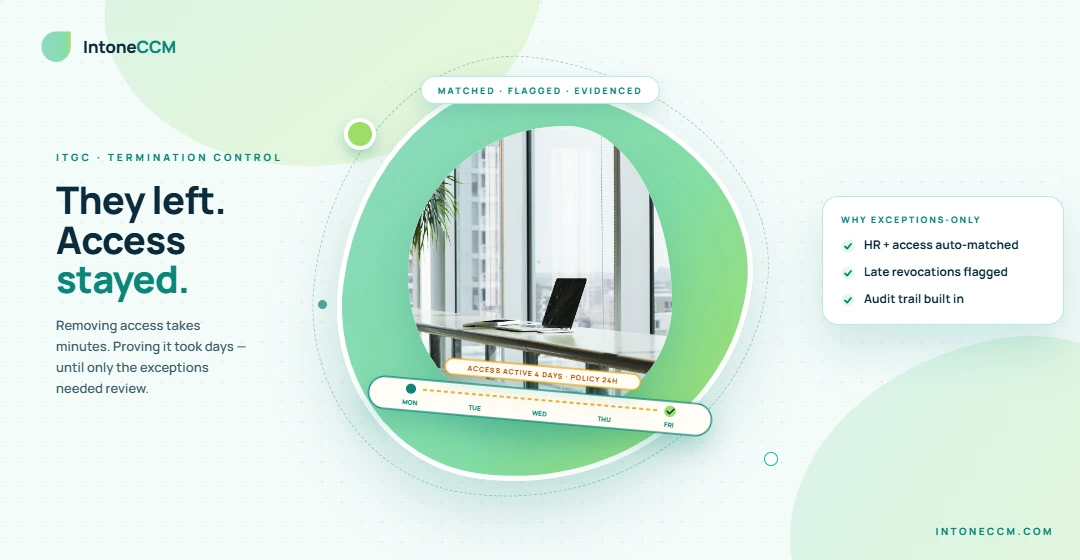
Imagine an employee leaves on Monday. Company policy requires access removal within 24 hours. The account isn’t disabled until Friday. No security incident occurred. No sensitive data was accessed. The delay was unintentional. But during an IT Audit, that explanation may not be enough.
The control didn’t operate within the required timeframe. Now the organization must determine what access remained, how long it remained active, review user activity during that period, document corrective actions, and explain the exception to auditors.
What started as a routine termination suddenly becomes an audit issue.
What If Your Team Only Reviewed Exceptions?
Organizations are increasingly moving away from spreadsheets and manual reconciliations.
Instead of spending hours matching records, they automate the comparison between HR termination data and system access records.
This changes the conversation completely.
Rather than searching for problems, teams are immediately presented with the exceptions that require attention, such as:
- Users whose access remains active after termination
- Accounts exceeding approved revocation timelines
- Potential orphaned accounts
- Policy violations requiring investigation
Reviewers spend less time gathering data and more time addressing risk.
How EagleEye365® Streamlines Termination Controls
EagleEye365® helps organizations automate one of the most time-consuming aspects of employee termination controls: comparing employee termination records against system access data.
The platform can:
- Ingest HR termination information
- Collect system access data across applications
- Apply organization-defined control rules
- Identify delayed revocation exceptions
- Highlight orphaned accounts
- Maintain supporting audit evidence, exception history, and a complete audit trail
Instead of manually reconciling reports and assembling evidence packages, teams gain a repeatable process that supports both compliance and audit readiness.
A Quick Win for ITGC Programs
Not every compliance improvement requires a large-scale transformation project.
Employee termination controls are often one of the fastest opportunities to reduce manual effort while strengthening the control environment.
By automating data comparisons and focusing reviews on exceptions, organizations can:
- Reduce audit preparation time
- Improve ITGC control testing efficiency
- Strengthen documentation
- Increase visibility into access-related risks
- Minimize avoidable audit findings
- Improve overall IT security practices
The result is a stronger control, less manual effort, and a smoother audit experience. The benefits extend beyond IT, helping HR, compliance teams, and internal auditors spend less time on manual reconciliation and more time addressing exceptions.
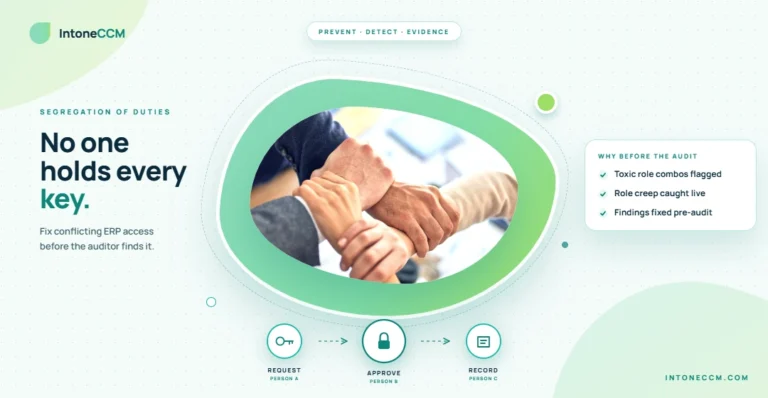
Termination is rarely the only access risk. The same exception-based approach applies to conflicting access: AI-powered Segregation of Duties (SoD) monitoring helps teams identify users with incompatible permissions and focus on the exceptions that matter.
Final Thoughts
A useful question to ask is: How does your IT team handle employee terminations today?
If the answer involves spreadsheets, emails, and manually comparing reports from multiple systems, there is likely room for improvement.
Employee terminations shouldn’t be one of the most time-consuming controls in your ITGC program.
Yet for many organizations, manual reviews, disconnected systems, and documentation challenges turn a straightforward process into a recurring audit concern.
The good news? The problem is often less about the control itself and more about how it’s monitored and evidenced.
By automating the comparison between employee termination data and system access records using EagleEye365®, organizations can reduce manual effort, improve audit readiness, and focus on the exceptions that truly matter.
Instead of spending hours matching records and collecting evidence, teams can focus their attention on the exceptions that pose real risk. That’s not just better compliance. It’s a smarter way to manage IT controls at scale.
FAQ’s
Employee termination controls help ensure former employees no longer have access to company systems, applications, and sensitive data. Auditors evaluate these controls to verify access is revoked within established timelines and that sufficient evidence exists to support compliance.
Orphaned accounts are user accounts that remain active after an employee leaves the organization. They can create security and compliance risks because unauthorized access may remain available if accounts are not promptly disabled or removed.
Delayed revocation often occurs when HR, IT, and application owners rely on manual processes, disconnected systems, or incomplete workflows. These delays can result in ITGC audit findings even when no security incident occurs.
EagleEye365® automates the comparison between employee termination records and system access data, helping organizations identify delayed access removals, orphaned accounts, policy violations, and audit exceptions while maintaining supporting audit evidence.
Automation eliminates much of the manual work involved in gathering reports, matching records, and documenting results. It helps organizations identify exceptions faster, strengthen evidence, and reduce the time spent preparing for ITGC audits.
EagleEye365® reduces manual reconciliation effort by continuously analyzing HR and access management data, enabling teams to focus on exceptions rather than collecting reports. This improves testing efficiency, documentation quality, and audit readiness.